

APM (Alternative Payment Methods)
Overview
Lemonway offers Alternative Payment Methods (APMs), enabling you to accept iDEAL (Netherlands), Bancontact (Belgium), and Multibanco (Portugal) using a seamless redirect-based payment flow.
These APMs operate using Lemonway's existing REST API (Webkit). Your platform only needs to call the /apm/init API and redirect the user.
| Payment Method | Technical Code | Required countryCode | Payer Phone Format | Real-Time Settlement? | Refund Window Length |
|---|---|---|---|---|---|
| iDEAL | ideal | NL (Netherlands) | Optional | Yes (Instant) | Up to 99 days |
| Bancontact | bancontact | BE (Belgium) | Optional | Yes (Instant) | Up to 12 months |
| Multibanco | multibanco | PT (Portugal) | Optional | No (Deferred up to 7 days) | Up to 12 months |
| MBWay | mbway | PT (Portugal) | Mandatory (+351...) | Yes (Instant Mobile Push) | Up to 12 months |
RefundsAPM refunds behave identically to card refunds, via the
/refund/{transactionId}endpoint.
iDEAL Payment Flow 🇳🇱
Optimized for the Netherlands, iDEAL handles real-time bank transfers. The Payer selects their specific issuer bank directly inside the secure browser session hosted by Lemonway.
The standard flow for iDEAL:
sequenceDiagram
    actor Payer
    participant Partner as Partner Platform
    participant Lemonway
    participant Bank as iDEAL Issuer Bank

    Payer->>Partner: Choose iDEAL at Checkout
    Partner->>Lemonway: POST /v2/moneyins/apm/init ("ideal")
    Lemonway-->>Partner: Return {"id": 378956, "redirectUrl": "..."}
    Partner-->>Payer: Redirect browser to redirectUrl
    Payer->>Lemonway: Selects specific bank from issuer list
    Lemonway-->>Payer: Forward to Bank login portal
    Payer->>Bank: Authenticate & confirm transfer
    Bank-->>Payer: Redirect browser back through Lemonway Webkit

    par Asynchronous Settlement
        Bank->>Lemonway: Back-channel funding clearance signal
        Lemonway->>Partner: POST Webhook Notification (ID 55 - Success)
    and Client Return
        Lemonway-->>Payer: Redirect browser to Partner's returnUrl
    end
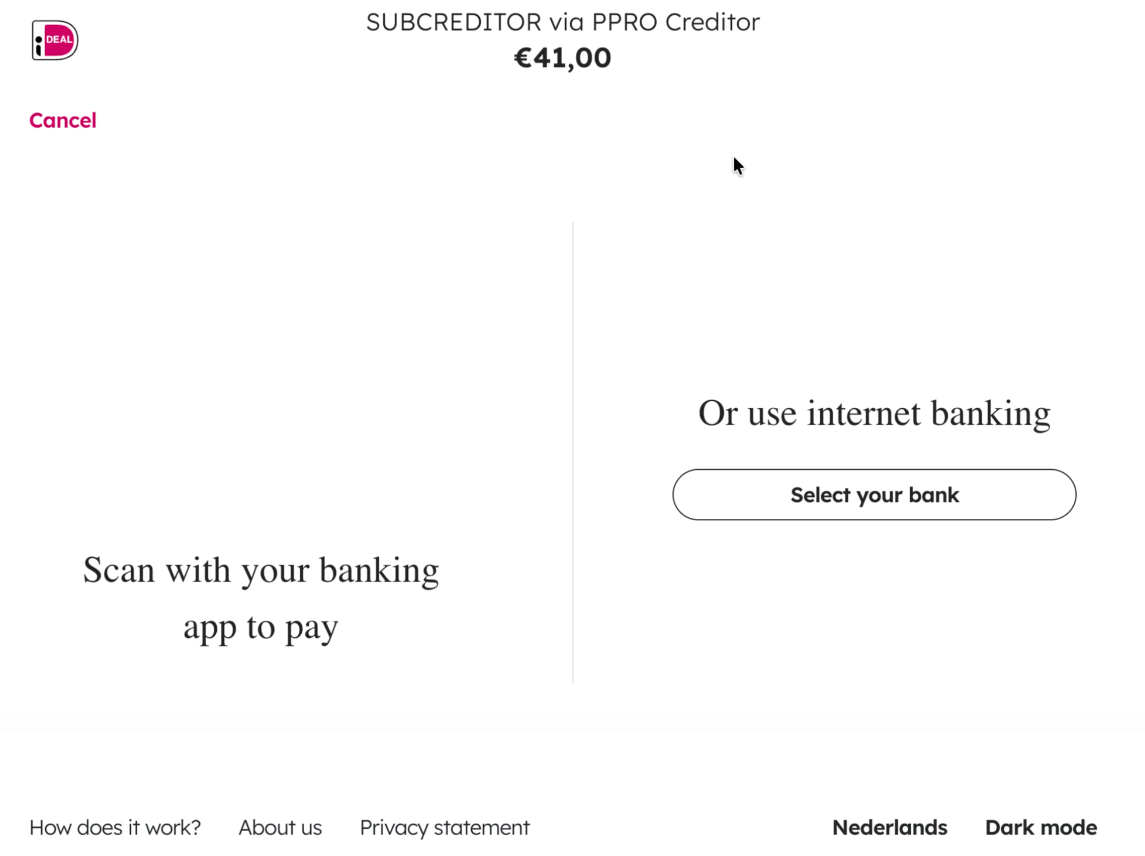
Redirection to iDEAL for Payment
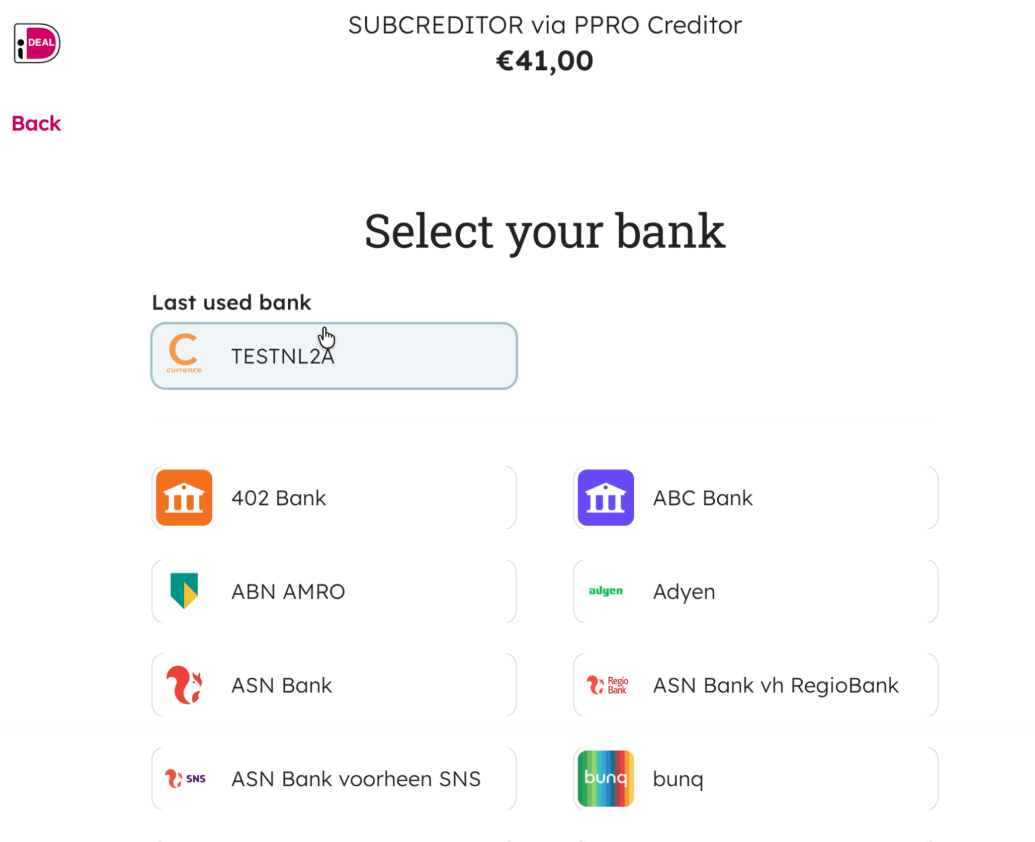
Select the bank page to process the payment
Bancontact Payment Flow 🇧🇪
Belgium's premier payment scheme supports dual authentication pathways: traditional web card details or a fast app-to-app QR code handshake.
The payer is redirected to the Bancontact payment page, where they can complete the payment either:
- Using their Bancontact card and entering the card number, expiry date, and CVV or,
- by using the Bancontact/Payconiq app by scanning the displayed QR code.
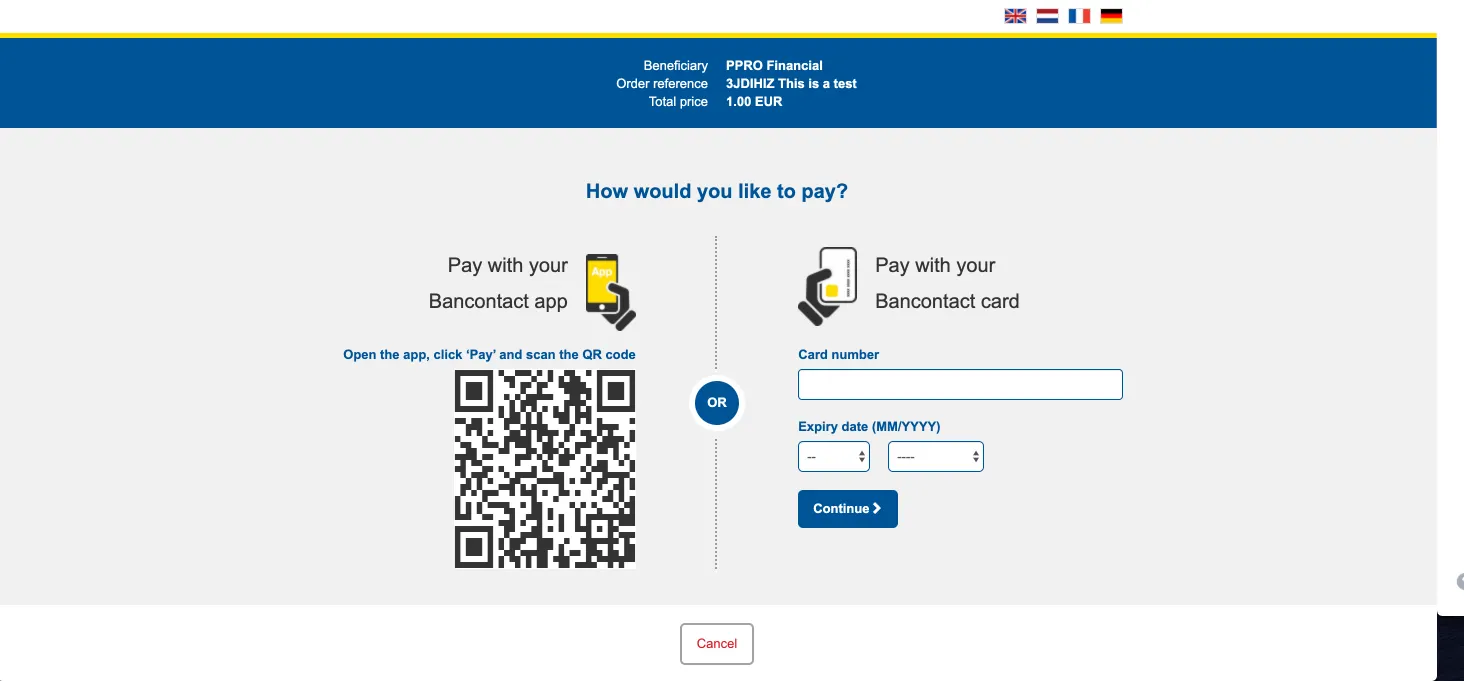
The standard flow for Bancontact:
sequenceDiagram
    actor Payer
    participant Partner as Partner Platform
    participant Lemonway
    participant BC as Bancontact Gateway

    Payer->>Partner: Choose Bancontact at Checkout
    Partner->>Lemonway: POST /v2/moneyins/apm/init ("bancontact")
    Lemonway-->>Partner: Return {"id": 378956, "redirectUrl": "..."}
    Partner-->>Payer: Redirect browser to redirectUrl

    alt Path A: Desktop / Card Web Form
        Payer->>BC: Input Bancontact card number & expiry
    else Path B: Mobile / Payconiq App
        Payer->>BC: Scan on-screen QR code using mobile device
    end

    BC-->>Payer: Confirm authorization & bounce browser back to Lemonway

    par Asynchronous Notification
        BC->>Lemonway: Instant payment clearance signal
        Lemonway->>Partner: POST Webhook Notification (ID 55 - Success)
    and Client Handshake
        Lemonway-->>Payer: Redirect browser to Partner's returnUrl
    end
Multibanco Payment Flow 🇵🇹
Multibanco is a Portuguese post-pay (offline/deferred) solution. Unlike real-time apps, it generates a standard billing reference. The browser session ends immediately, while the transaction stays open waiting for manual funding.
- Your platform calls
/apm/initwithPaymentMethodset tomultibanco. - Lemonway creates the transaction in
Pendingstatus and returns aredirectUrl. - Your platform redirects the payer to the
redirectUrl. - The payer is shown the Multibanco payment details and completes the payment through online banking or at an ATM.
- Once the payment result is known, Lemonway updates the transaction and redirects the payer to your
returnUrl,cancelUrl, orerrorUrl.
The standard flow for Multibanco:
sequenceDiagram
    actor Payer
    participant Partner as Partner Platform
    participant Lemonway
    participant MB as Multibanco Network

    Payer->>Partner: Choose Multibanco at Checkout
    Partner->>Lemonway: POST /v2/moneyins/apm/init ("multibanco")
    Lemonway-->>Partner: Return {"id": 378956, "redirectUrl": "..."}
    Partner-->>Payer: Redirect browser to redirectUrl
    Payer->>Lemonway: View generated Entity Code & Payment Reference
    Lemonway-->>Payer: Redirect browser back to Partner's returnUrl

    Note over Payer, Partner: Note: Client transaction is still actively PENDING.<br/>Valid for 7 days or custom timeoutInMinutes.

    alt Path A: Payer settles before expiry
        Payer->>MB: Pay reference via local ATM or Homebanking App
        MB->>Lemonway: Push clearing confirmation
        Lemonway->>Lemonway: Update state to Success
        Lemonway->>Partner: POST Webhook Notification (ID 55 - Success)
    else Path B: Expiry window lapses
        Lemonway->>Lemonway: Update state to Cancelled
        Lemonway->>Partner: POST Webhook Notification (Transaction Cancelled)
    end
MBWay Payment Flow 🇵🇹
Portugal's leading mobile wallet relies on an instant push notification token model. The payer stays on your redirect page while verifying the transaction on their mobile smartphone screen.
- Your platform calls
/apm/initwithPaymentMethodset tombway. - Lemonway creates the transaction in
Pendingstatus and returns aredirectUrl. - Your platform redirects the payer to the
redirectUrl. - The payer receives a payment request in the MB WAY app and confirms it.
- Once the payment result is known, Lemonway updates the transaction and redirects the payer to your
returnUrl,cancelUrl, orerrorUrl.
The standard flow for MBWay:
sequenceDiagram
    actor Payer
    participant Partner as Partner Platform
    participant Lemonway
    participant MBW as MB WAY Mobile App

    Payer->>Partner: Choose MB WAY & provide Mobile Number
    Partner->>Lemonway: POST /v2/moneyins/apm/init ("mbway")
    Lemonway-->>Partner: Return {"id": 378956, "redirectUrl": "..."}
    Partner-->>Payer: Redirect browser to redirectUrl
    Lemonway->>MBW: Trigger real-time out-of-band push request to device
    Payer->>MBW: Open app & input security authorization PIN
    MBW-->>Lemonway: Secure real-time capture approval/decline payload

    par Async Backend Handshake
        Lemonway->>Partner: POST Webhook Notification (Final status payload)
    and Client Browser Drop
        Lemonway-->>Payer: Redirect browser seamlessly to Partner's returnUrl / errorUrl
    end
Initiate an APM Payment
POST /apm/init
/apm/initFor a complete list of parameters and additional information, see here.
5.1 Example Request
{
  "transaction": {
    "Reference": "ref-12345",
    "AccountId": "MKP",
    "totalAmount": 15000,
    "PaymentMethod": "multibanco",
    "commissionAmount": 1000,
    "comment": "Online purchase",
    "autoCommission": false
  },
  "paymentUrls": {
    "redirections": {
      "returnUrl": "https://merchant.com/payment/success",
      "errorUrl": "https://merchant.com/payment/error",
      "cancelUrl": "https://merchant.com/payment/cancel"
    }
  },
  "customer": {
    "firstName": "Pierre",
    "lastName": "Dupont",
    "countryCode": "PT",
    "email": "[email protected]",
    "mobilePhone": "+351912345678",
    "birthDate": "1985-05-15"
  }
}
Required Rules
| Method | Required countryCode |
|---|---|
| ideal | "NL" 🇳🇱 only |
| bancontact | "BE" 🇧🇪 only |
| multibanco | "PT" 🇵🇹 only |
| MBWay | "PT" 🇵🇹 only |
Example Response
{
  "id": 362529,
  "redirectUrl": "https://webkit.lemonway.com/.../apm/form/{token}"
}
InformationYour platform should use the
redirectUrlexactly as provided. There is no token exchange step.
APM Refunds
APM refunds behave identically to card refunds; use the PUT /refund/{transactionId}
iDEAL, Bancontact, Multibanco and MB WAY Payins support:
- Multiple refunds
- Partial refunds
- Full refunds
FAQs
1. Can I use other payment methods?
Yes, our architecture supports adding more APMs, but availability depends on Lemonway's roadmap.
2. How do I test these payment methods?
Request a sandbox APM activation from Lemonway. Your technical integration remains the same in sandbox and production.
3. When does the user return to my website?
After the APM result is known, Lemonway redirects the user to:
returnUrl→ payment succeededcancelUrl→ user cancellederrorUrl→ payment failed/refused
4. Why must countryCode match the payment method?
countryCode match the payment method?Because the underlying schemes require it:
- iDEAL is restricted to Dutch customers
- Bancontact is restricted to Belgian customers
- Multibanco is restricted to Portuguese customers
- Mbway is restricted to Portuguese customers
Any other value causes the API to reject the request.
5. How long does the payer have to complete a Multibanco payment?
Multibanco is a post-pay method. By default, the payer has 7 days to complete the payment. You can shorten this period with the optional timeoutInMinutes parameter.
6. Are chargebacks possible?
No. These payment methods do not support chargebacks through Lemonway. Refunds must be issued via /refund/{transactionId}.
7. What happens if the payer abandons the payment?
If the payment is not completed before it expires, Lemonway finalizes the transaction as Cancelled.
8. How do I know the final status?
Use any combination of:
- Your notification endpoint
- Lemonway GET /v2/moneyins or your Dashboard for payment statuses
- The user redirect path (
returnUrl/cancelUrl/errorUrl)
Updated 5 days ago