

Step 3: Pay-In - Setting-up the first sale for a B2B
Pay-In and Pay-Out
Where we are: A macro perspective
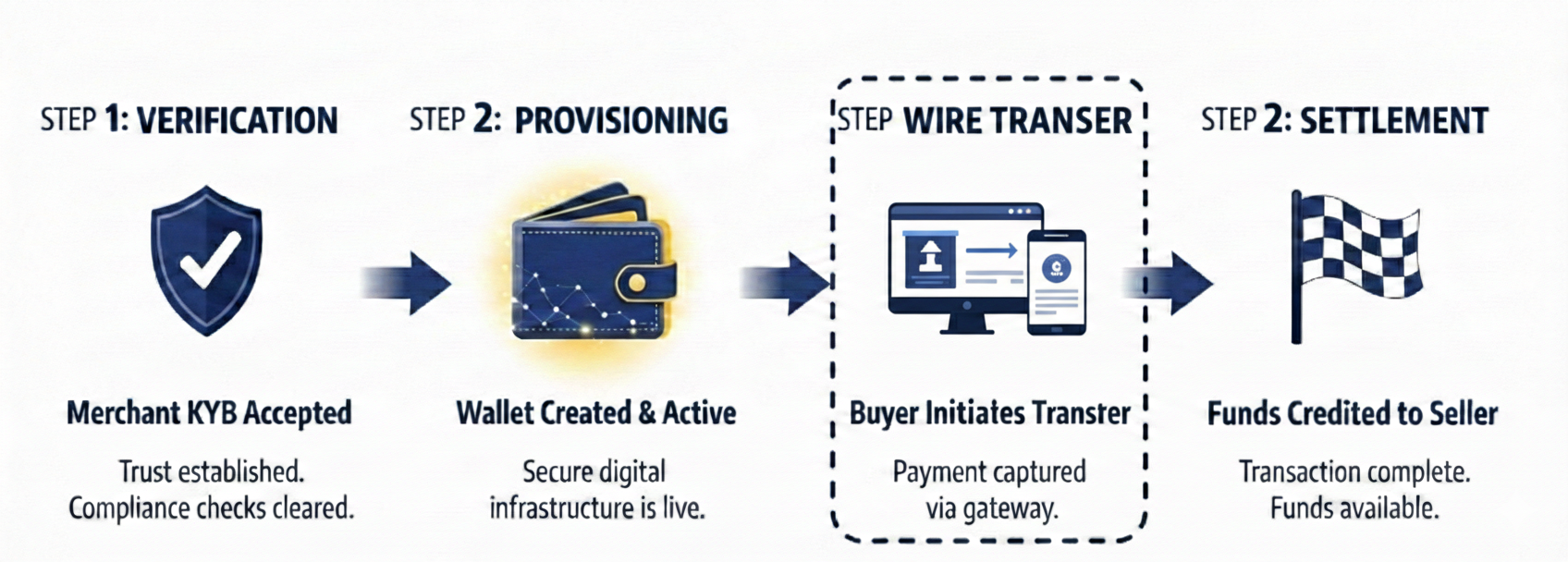
Lemonway offers several payment options; most B2B marketplaces settle using wire transfer or Pay by Bank payments because these marketplaces usually deal with large-scale services or sales of goods. Our onboarding team will already have walked you through the Pay-In and Pay-Out setup, but here is a quick recap of the options available to you.
Payment by Wire Transfer
In most B2B scenarios, the seller invoices the buyer once the sale is completed, since purchases are typically made in bulk. By this stage, the buyer has usually already passed KYC checks and provided the required documentation to demonstrate their ability to pay. The invoice then provides clear payment instructions, including accepted payment methods and settlement details.
Payment in a B2B context, in most cases, is settled by wire transfer. Lemonway should have already provided you with our beneficiary details, this includes our IBAN and BIC. It is these instructions that your seller should use to ensure funds are sent to the buyer.
For example:
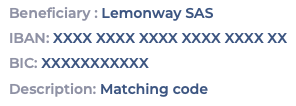
Matching codeTo ensure the wire transfer is credited to the correct payment account, include a matching code in the transfer description field. In our case the matching code is equal to the seller's wallet ID.
Payment by Card (includes Apple Pay and PayPal)
That said, some B2B transactions involve smaller amounts that can be processed by card. In these cases, it may be worth considering one of the two options below.
- Hosted Fields Payment Page (SDK):
Lemonway provides a highly customizable SDK designed to integrate seamlessly with your platform. While this requires a bit more technical lifting, our extensive documentation makes the setup straightforward. You can learn more about Hosted Fields here. - Standard Redirection (Lemonway Payment Page):
The Lemonway Payment Page is a fully hosted, secure solution that allows you to accept online payments with minimal integration effort. By utilizing a seamless redirection-based flow, you can offload PCI-DSS compliance and simplify 3D Secure (3DS2) implementation entirely.-
Customization: Easily brand the page within your Lemonway Dashboard to maintain a consistent look and feel.
-
Versatility: Supports one-shot payments, one-click checkouts, and secure card registration.
-
User Experience: Enhances trust with dynamic card scheme displays, clear security indicators, and a multilingual interface.
-
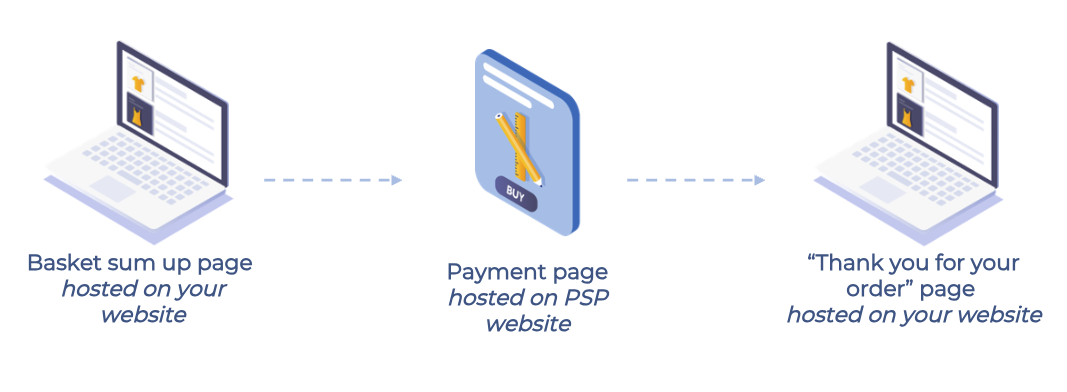
Simplified Logic: You simply redirect the user to us; Lemonway handles the secure data capture and routing, then redirects the customer back to your chosen success or failure pages.
Example:
-
Your merchant starts selling
The merchant is onboarded, their wallet is set up, and they're ready to sell. Because Online Onboarding handles the A-Z so quickly, you can start earning commissions right away.

Example of Merchant Basket
Why is the Pay-In flow different in most B2B marketplaces?
In many B2B setups, payment is not captured by card at checkout. It usually emails a final receipt PDF directly to the buyer and instructs them to pay within 30 days. The buyer usually pays by wire transfer within the agreed terms.
NoteThe transfer reference (here: Wallet ID: 679988F) is essential to route funds correctly.
Example Invoice that a buyer would typically receive
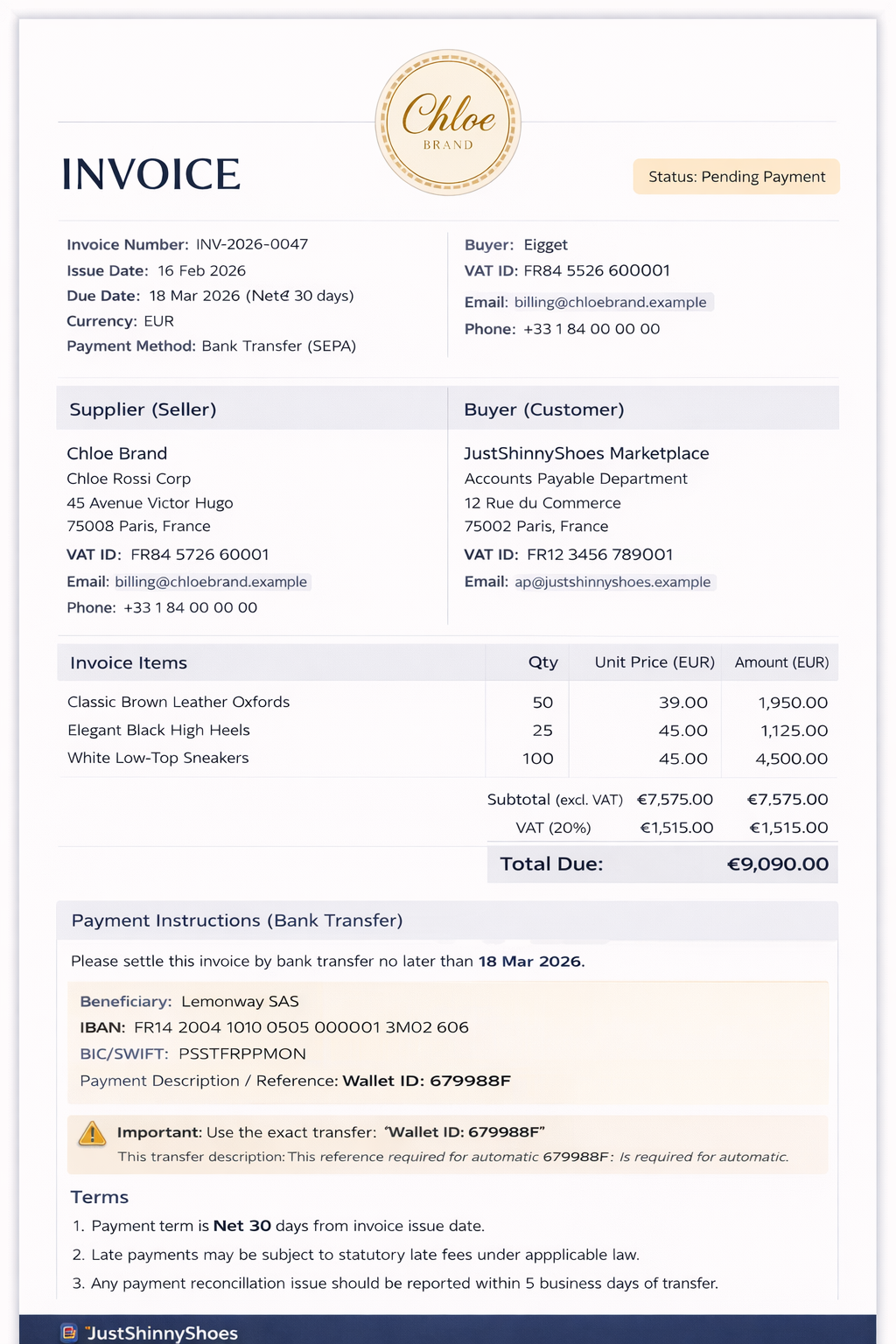
Example merchant invoice
How does this appear in your Dashboard?
Since you’ve got your SC Wallet from your Lemonway onboarding and the merchant has their Standard Wallet after onboarding, the Technical Wallet handles the heavy lifting in the middle. Think of it as the staging area: the Pay-In is deposited in the technical account first.
From there, the funds are automatically split, the sale goes to the merchant, and your commission lands right in your SC Wallet.
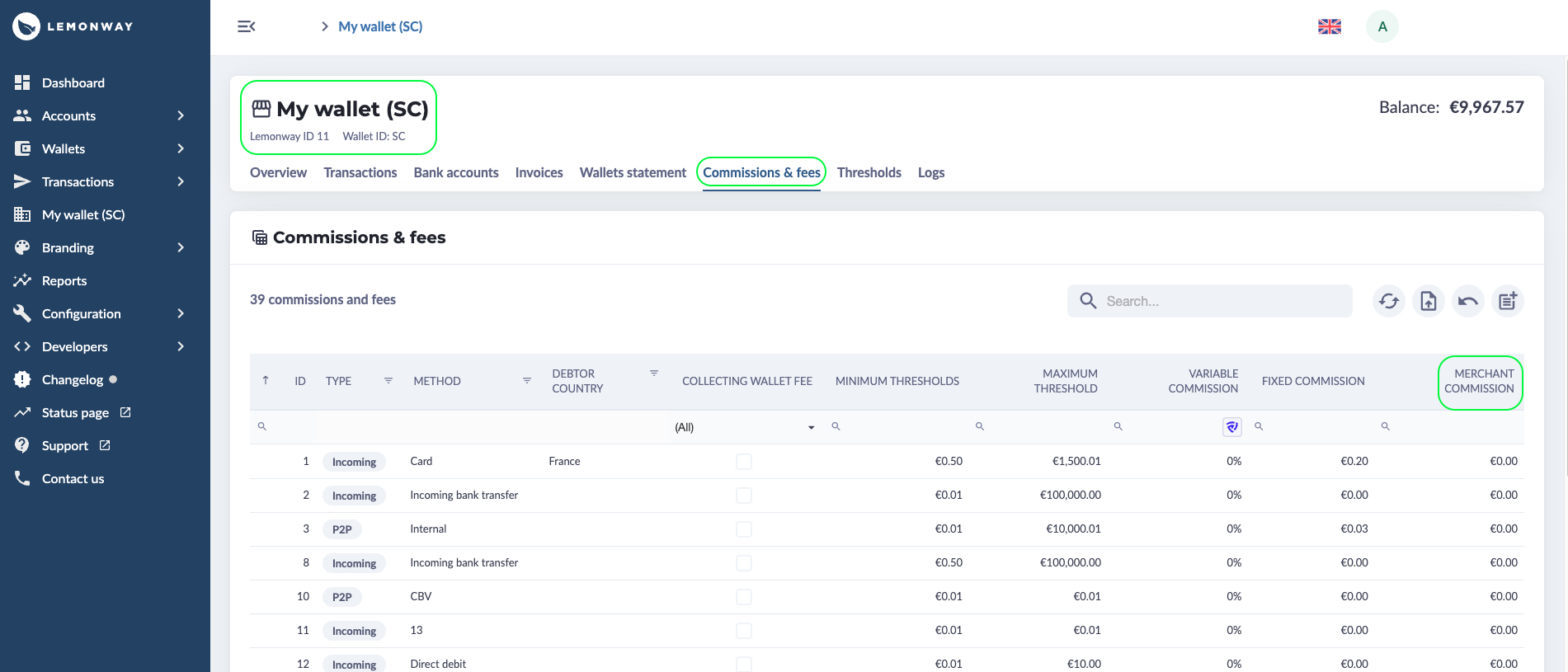
Lemonway Dashboard: Commission and Fees
Where does the money go?
Funds from the sale are transferred to your Technical Wallet.
Depending on your setup, this can be either:
- one Technical Wallet that collects funds for all merchants, or
- one dedicated Technical Wallet per merchant.
If you manage hundreds of merchants, the first model is usually easier to operate. Once funds reach your Technical Wallet, you can distribute them to your merchants according to your split logic, minus your platform commission.
End to end B2C marketplace payment flows
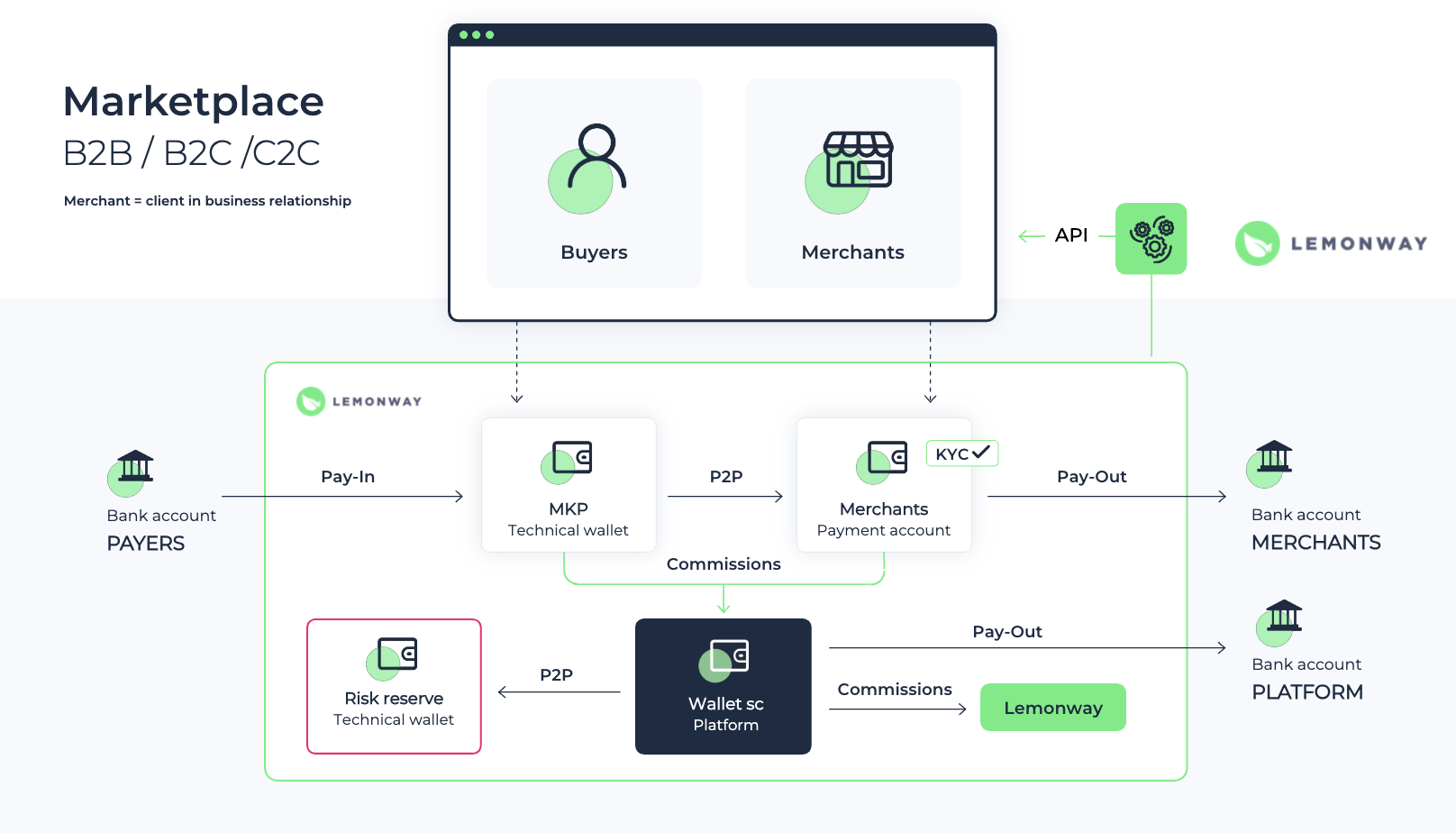
End-to-end B2B marketplace flow
You can either use the Lemonway Dashboard to perform a P2P to your merchant or our API (P2P endpoint):
POST: https://sandbox-api.lemonway.fr/mb/ENV-NAME/directkitrest/v2/p2p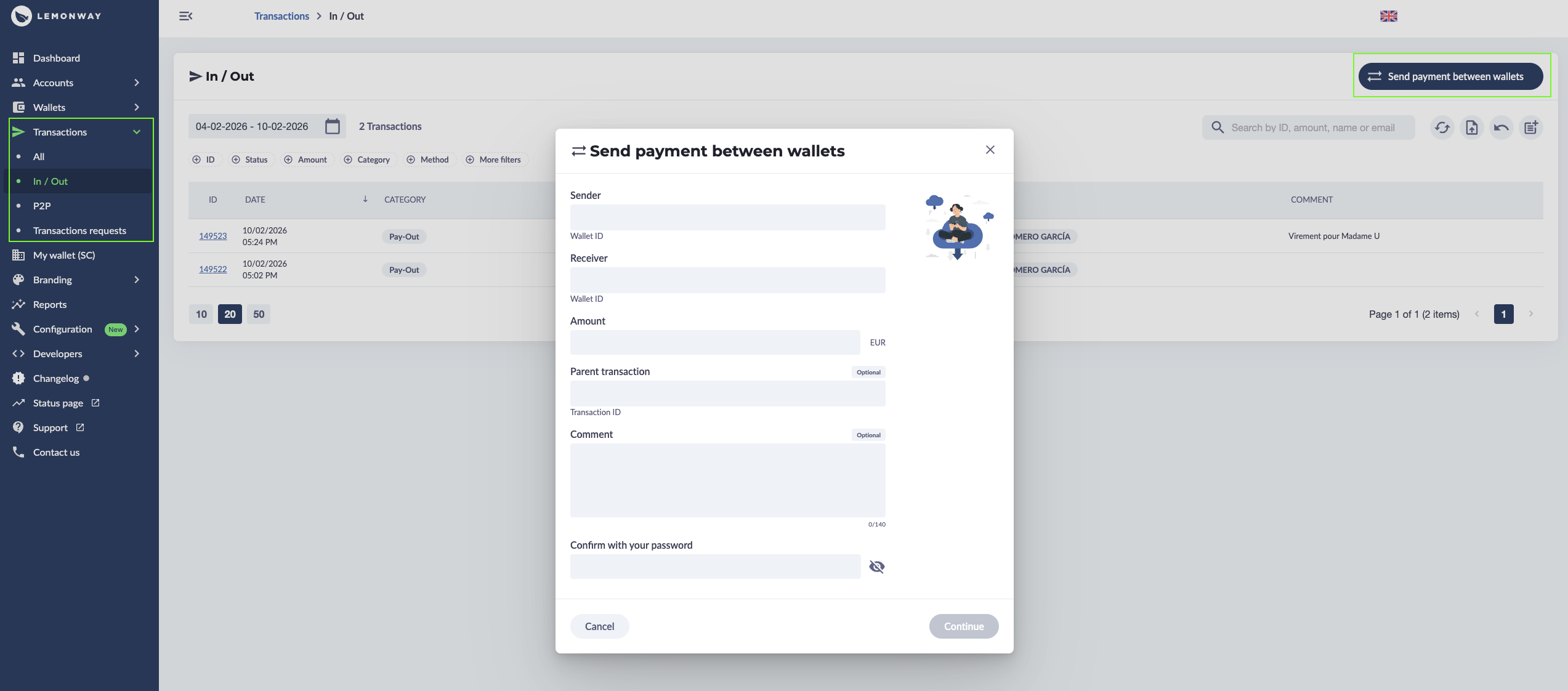
PSP to Merchant via the Dashboard
How does this appear in your Dashboard?
Since you’ve got your SC Wallet from your Lemonway onboarding and the merchant has their Standard Wallet after onboarding, the Technical Wallet handles the heavy lifting in the middle. Think of it as the staging area: the Pay-In is deposited in the technical account first.
From there, the funds are automatically split, the sale goes to the merchant, and your commission lands right in your SC Wallet.
Dashboard view: Commission and Fees
Updated 3 months ago