

Step 3: Pay-In - Setting-up the first sale for a B2C
Pay-In and Pay-Out
Where we are: A macro perspective
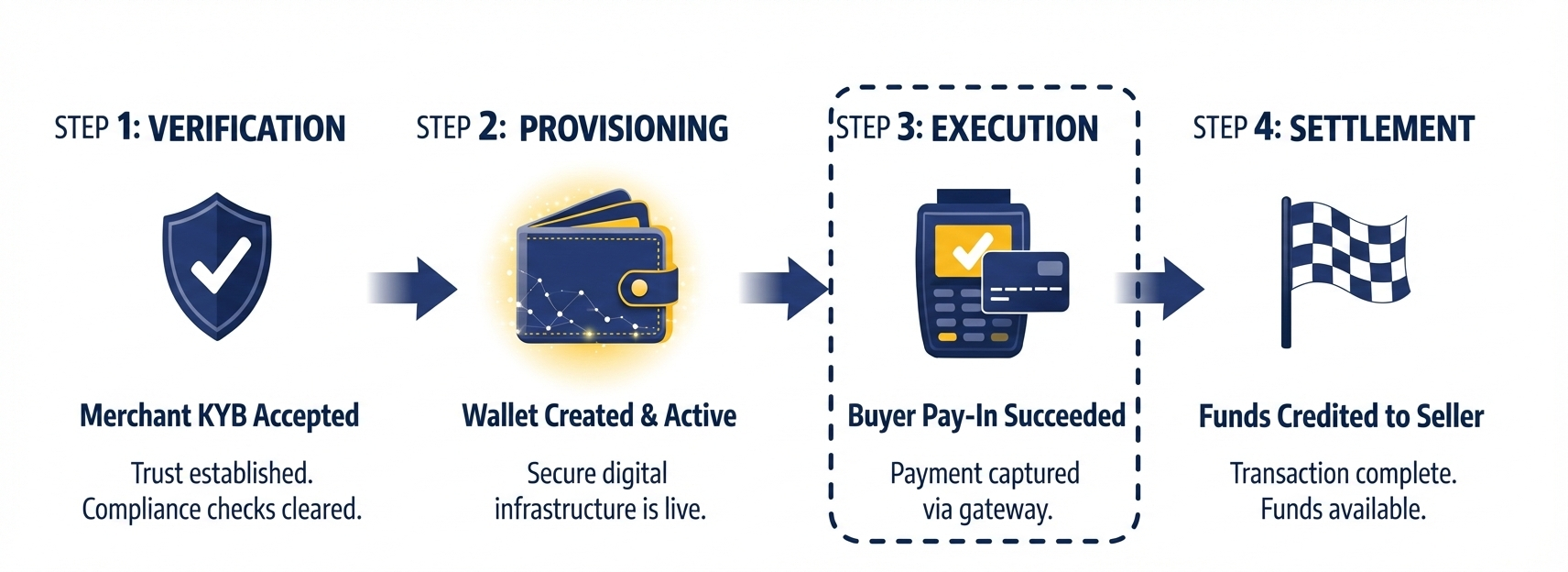
Lemonway offers several payment options; most B2C marketplaces settle using card payments. Our onboarding team will already have walked you through the Pay-In and Pay-Out setup, but here is a quick recap of the options available to you.
- Hosted Fields Payment Page (SDK):
Lemonway provides a highly customizable SDK designed to integrate seamlessly with your platform. While this requires a bit more technical lifting, our extensive documentation makes the setup straightforward. You can learn more about Hosted Fields here. - Standard Redirection (Lemonway Payment Page):
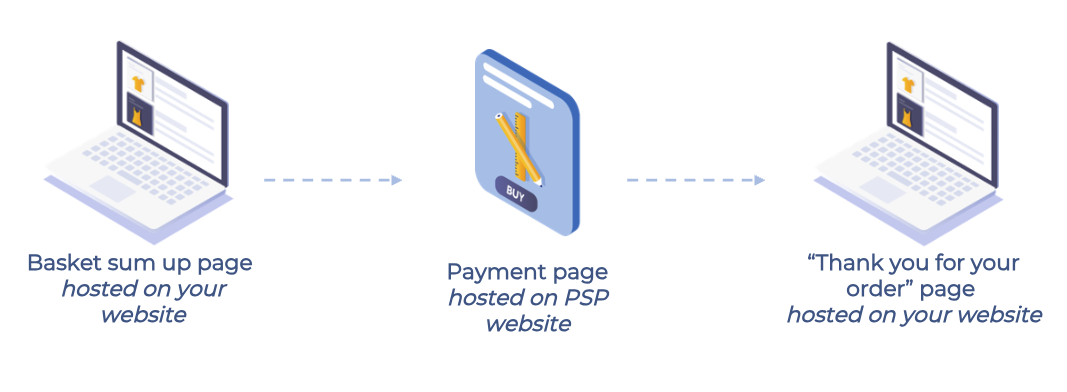
The Lemonway Payment Page is a fully hosted, secure solution that allows you to accept online payments with minimal integration effort. By utilizing a seamless redirection-based flow, you can offload PCI-DSS compliance and simplify 3D Secure (3DS2) implementation entirely.-
Customization: Easily brand the page within your Lemonway Dashboard to maintain a consistent look and feel.
-
Versatility: Supports one-shot payments, one-click checkouts, and secure card registration.
-
User Experience: Enhances trust with dynamic card scheme displays, clear security indicators, and a multilingual interface.
-
Simplified Logic: You simply redirect the user to us; Lemonway handles the secure data capture and routing, then redirects the customer back to your chosen success or failure pages.
Example:
-
Running your first Pay-In
Your merchant starts selling
The merchant is onboarded, their wallet is set up, their bank account details have been verified, and they're ready to sell. Because Online Onboarding handles the A-Z so quickly, you can start earning commissions right away. From here, it’s just a matter of using the Lemonway Pay-In endpoint on your platform to trigger the transfer of funds directly into the right wallet.
Here's what a basic card Pay-In with a card looks like in practice:
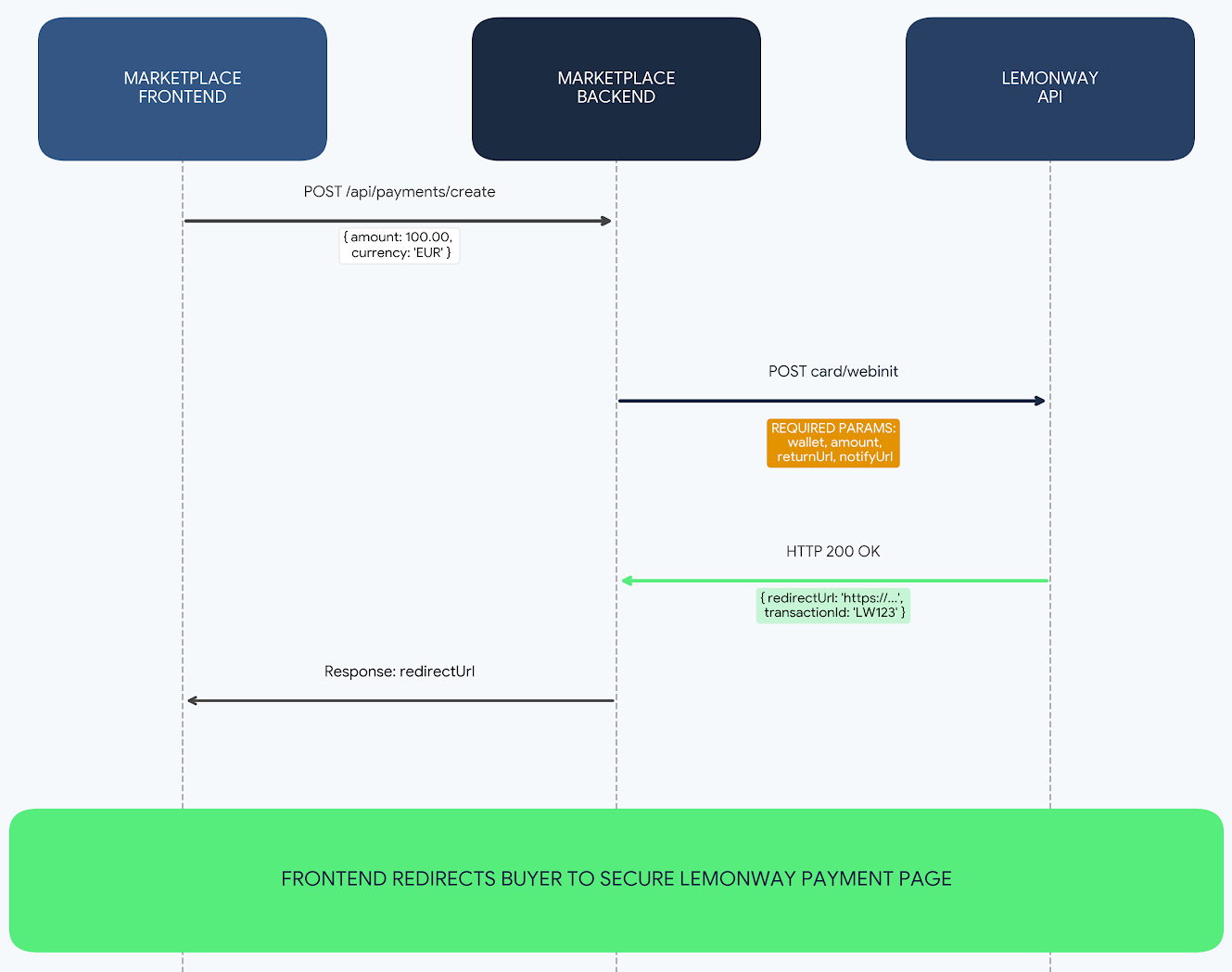
Sequence diagram showing Pay-In process flow
On your platform, you will have to incorporate the pay button by using the /card/webinit end point. Ensuring that the correct payload is given so the transaction can be processed.
Request
What your platform calls every time a card payment is made by a buyer on the merchant's store.
NoteThe ENV-NAME in the URL path are your assigned envoirnment name. It must be used in the URL to ensure that the endpoint is valid.
POST https://ws.lemonway.fr/mb/ENV-NAME/prod/directkitrest/v2/moneyins/card/webinitPayload
The payload is added by your systems (backend) to highlight the standard payment details along with the required URLs.
{
  "accountId": "4566666",
  "totalAmount": 5000,
  "commissionAmount": 500,
  "comment": "Purchase on Marketplace",
  "returnUrl": "https://yourmarketplace.com/success",
  "errorUrl": "https://yourmarketplace.com/error",
  "cancelUrl": "https://yourmarketplace.com/cancel",
  "reference": "ORDER-12345",
  "registerCard": true
}
Response
- webKitToken
Temporary token for the hosted card-payment WebKit flow.
You pass this token to the WebKit finalization step/page (indirect card flow) so Lemonway can continue/complete the 3DS/payment process securely. - id
The Lemonway transaction identifier for this money-in initialization (useful for tracking/retrieval/log correlation). - cardId
Identifier of the card token involved in this operation (especially relevant if using a registered card context).
{
  "webKitToken": "1wGaBwkdOmOxWT0s4t1Z1364815",
  "id": 3232,
  "id ": 3232,
  "cardId": 34
}
Where does the money go?
Funds from the sale are transferred to your Technical Wallet.
Depending on your setup, this can be either:
- one Technical Wallet that collects funds for all merchants, or
- one dedicated Technical Wallet per merchant.
If you manage hundreds of merchants, the first model is usually easier to operate. Once funds reach your Technical Wallet, you can distribute them to your merchants according to your split logic, minus your platform commission.
End to end B2C marketplace payment flows
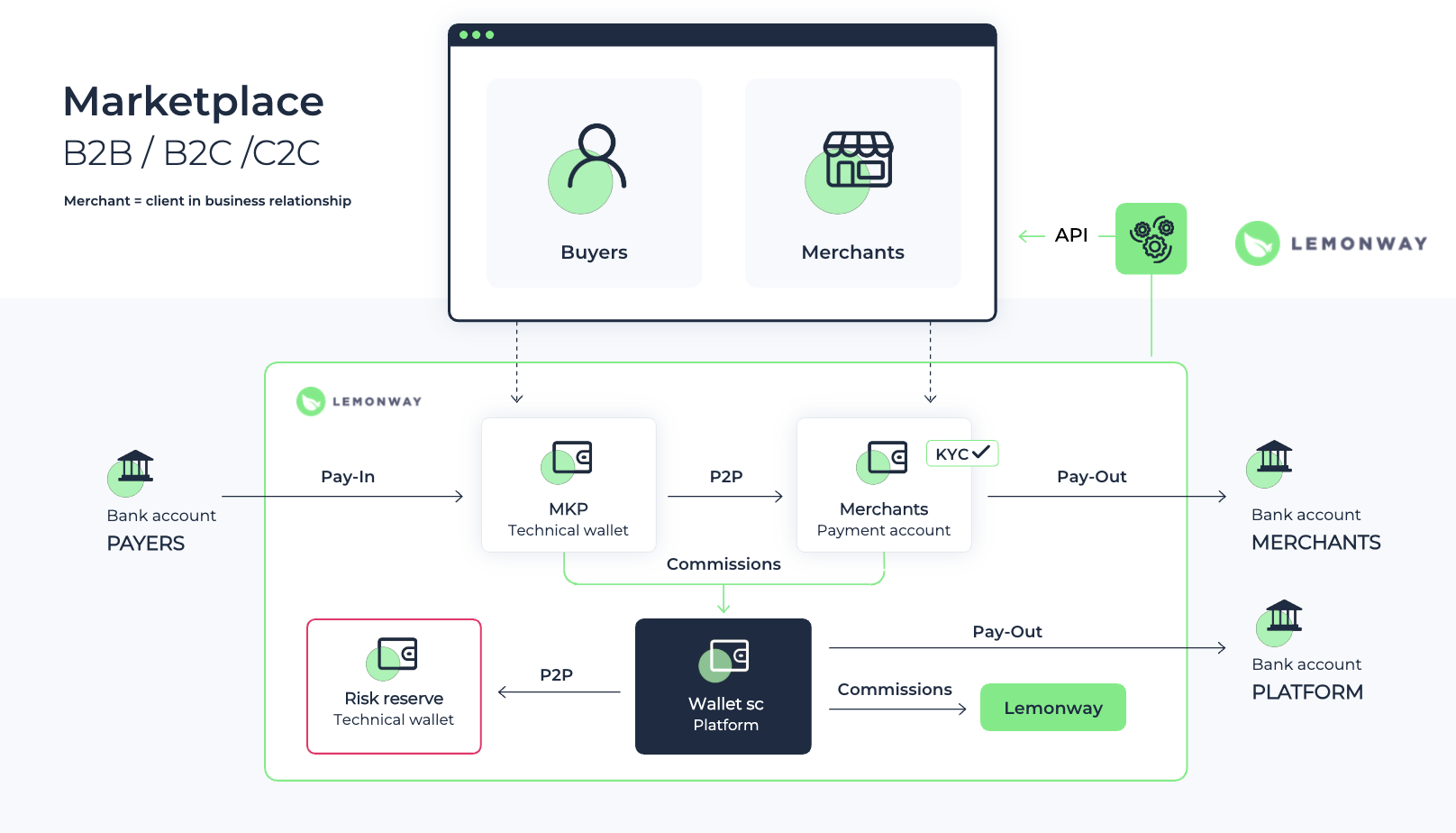
End-to-end B2C marketplace flow
You can either use the Lemonway Dashboard to perform a P2P to your merchant or our API (P2P endpoint):
POST: https://sandbox-api.lemonway.fr/mb/ENV-NAME/directkitrest/v2/p2p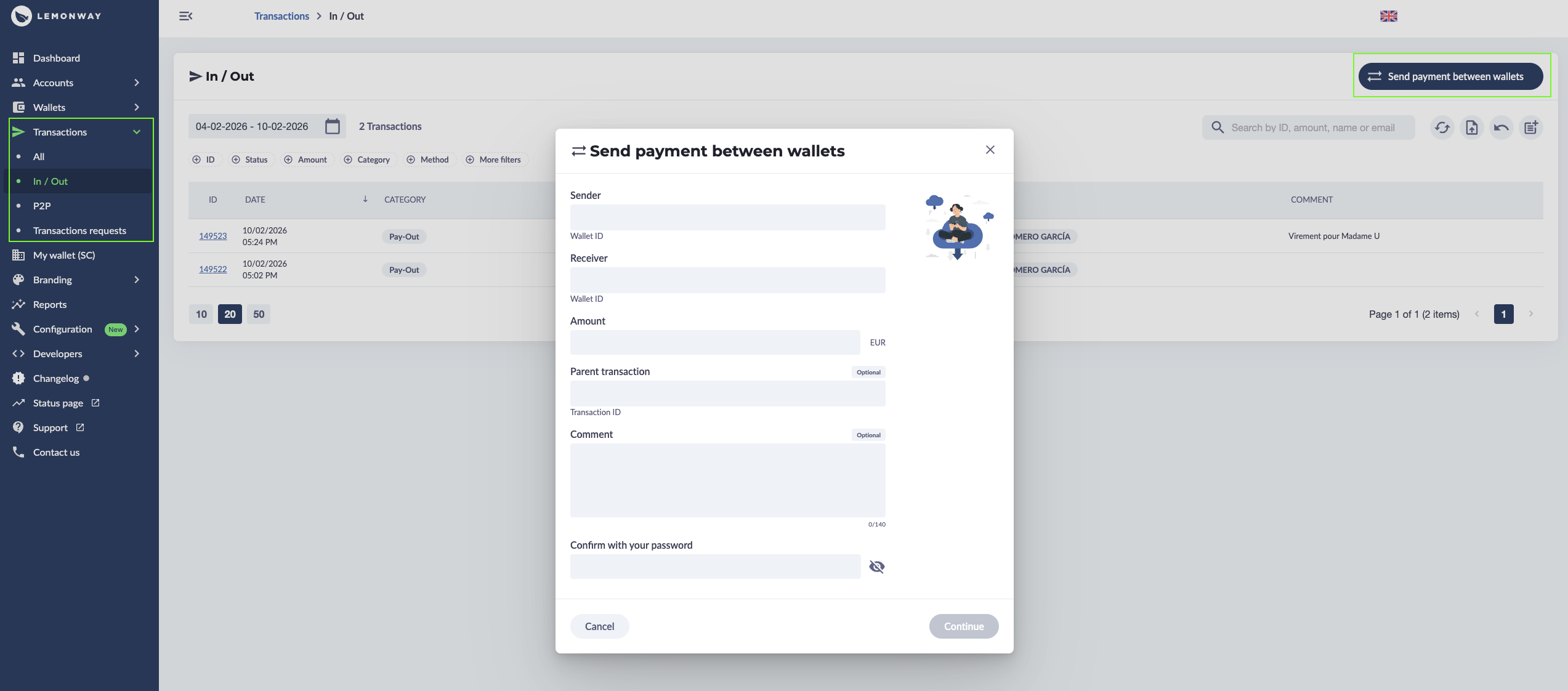
PSP to Merchant via the Dashboard
How does this appear in your Dashboard?
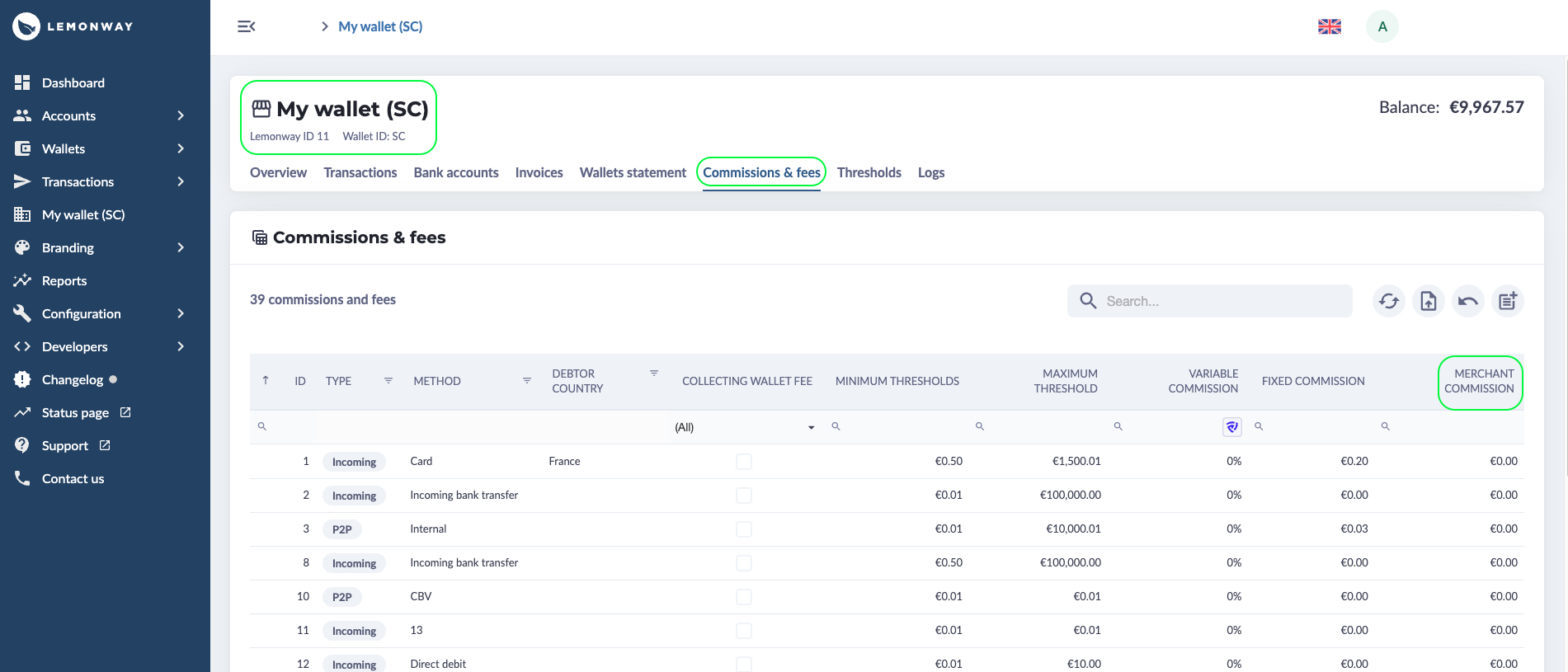
Since you’ve got your SC Wallet from your Lemonway onboarding and the merchant has their Standard Wallet after onboarding, the Technical Wallet handles the heavy lifting in the middle. Think of it as the staging area: the Pay-In is deposited in the technical account first.
From there, the funds are automatically split, the sale goes to the merchant, and your commission lands right in your SC Wallet.
Updated 3 months ago