

Payments with Bancontact
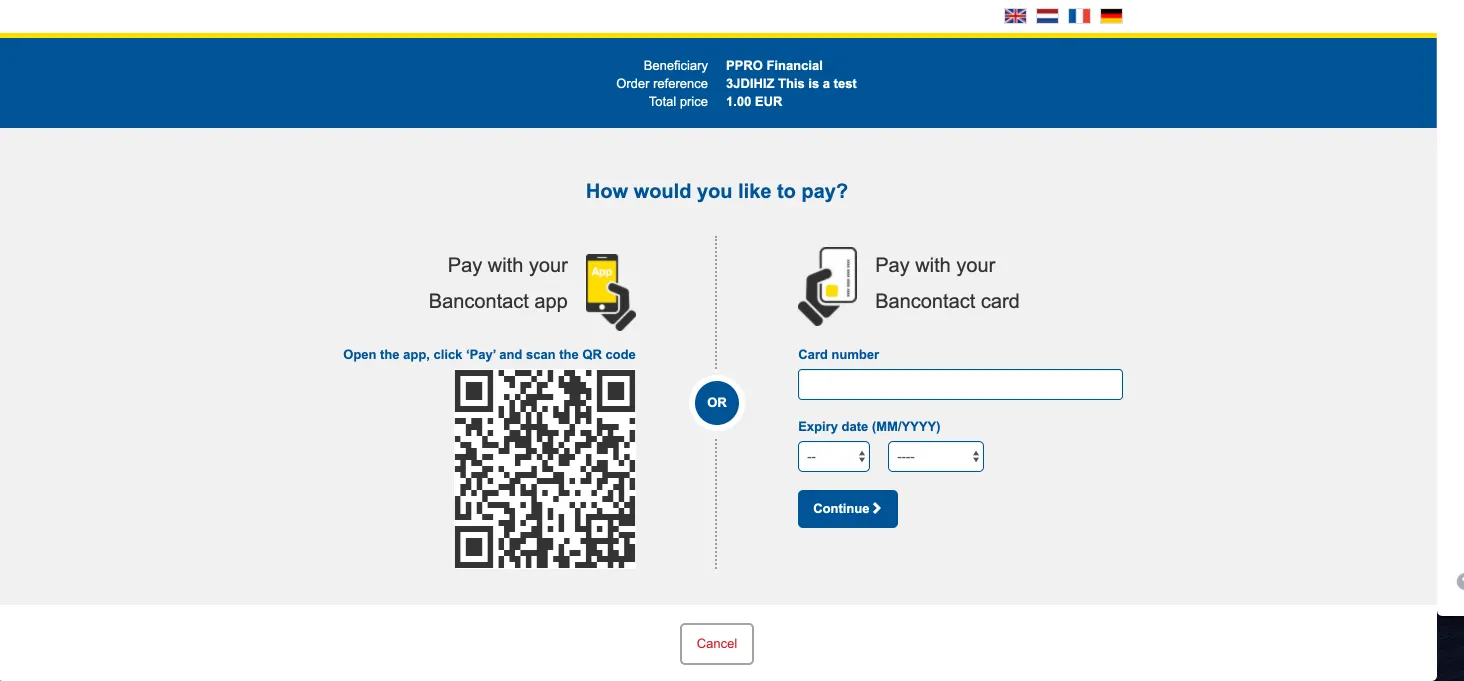
Lemonway offers its partners the ability to accept payments through Bancontact, one of the most widely used payment methods in Belgium. Bancontact allows customers to pay securely online using their Bancontact card or the Bancontact/Payconiq mobile app, providing a familiar and convenient payment experience. Through Lemonway's integration, partners can easily offer Bancontact as an additional payment option on their platforms. Customers are redirected to the Bancontact payment page, where they can choose to enter their card details or scan a QR code using their mobile app to authorise the payment. Payments are confirmed in real time, allowing partners to offer a smooth checkout experience while catering to the preferences of Belgian customers.
Bancontact Payment Flow 🇧🇪
Belgium's premier payment scheme supports dual authentication pathways: traditional web card details or a fast app-to-app QR code handshake.
| Payment Method | Technical Code | Required countryCode | Payer Phone Format | Real-Time Settlement? | Refund Window Length |
|---|---|---|---|---|---|
| Bancontact | bancontact | BE (Belgium) | Optional | Yes (Instant) | Up to 12 months |
The payer is redirected to the Bancontact payment page, where they can complete the payment either:
- Using their Bancontact card and entering the card number, expiry date, and CVV or,
- by using the Bancontact/Payconiq app by scanning the displayed QR code.
The standard flow for Bancontact:
sequenceDiagram
    actor Payer
    participant Partner as Partner Platform
    participant Lemonway
    participant BC as Bancontact Gateway

    Payer->>Partner: Choose Bancontact at Checkout
    Partner->>Lemonway: POST /v2/moneyins/apm/init ("bancontact")
    Lemonway-->>Partner: Return {"id": 378956, "redirectUrl": "..."}
    Partner-->>Payer: Redirect browser to redirectUrl

    alt Path A: Desktop / Card Web Form
        Payer->>BC: Input Bancontact card number & expiry
    else Path B: Mobile / Payconiq App
        Payer->>BC: Scan on-screen QR code using mobile device
    end

    BC-->>Payer: Confirm authorization & bounce browser back to Lemonway

    par Asynchronous Notification
        BC->>Lemonway: Instant payment clearance signal
        Lemonway->>Partner: POST Webhook Notification (ID 55 - Success)
    and Client Handshake
        Lemonway-->>Payer: Redirect browser to Partner's returnUrl
    end
Example: Bancontact (countryCode must be BE)
{
  "transaction": {
    "reference": "ORDER-1002",
    "accountId": "2f6f3dfb-4a1e-43c1-9d6c-5f9b561c7f3b",
    "totalAmount": 15000,
    "PaymentMethod": "bancontact",
    "commissionAmount": 1650,
    "comment": "Online purchase",
    "autoCommission": false
  },
  "paymentUrls": {
    "redirections": {
      "returnUrl": "https://example.com/success",
      "errorUrl": "https://example.com/error",
      "cancelUrl": "https://example.com/cancel"
    }
  },
  "customer": {
    "firstName": "Jean",
    "lastName": "pascal",
    "email": "[email protected]",
    "countryCode": "BE"
  },
  "preferredLanguage": "be",
  "timeoutInMinutes": 15
}
{
"id": 362528,
"redirectUrl": "https://webkit.lemonway.com/.../apm/form/{token}"
}Updated 24 minutes ago